
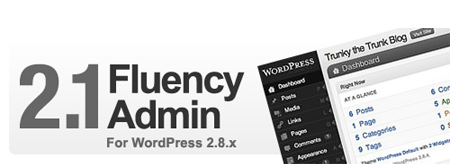
Some of the most popular posts here on JaypeeOnline are the ones that were part of the Pimp My WP Dashboard series. I’m sure those of you who have been long time readers are familiar with these posts. In that series, I’ve featured and reviewed four different WordPress admin themes – WP Tiger Admin, Spot Milk, Nice Admin and the WordTunes Terminal.
When WordPress 2.5 was released, all these admin themes became obsolete because of the changes done to the WordPress dashboard design and layout. Fortunately for me and those who use admin themes, a new compatible theme was released by Dean J Robinson, called the Fluency Admin. Since then, I’ve been using it as my WP dashboard theme.








I’ve been wanting to do a review of this awesome theme/plugin for a long time now but somehow, I’ve always put it on hold. A few days back, I decided to sit down and start writing the review. Then a couple days later, I found out that Dean released a newer version of the Fluency Admin and that motivated me to finish this review.
Here are the new features found in Fluency Admin 2.1:
- Fluency Admin Options page
- Disable/Enable Fluency style on login page
- Use custom logo on login page
- Classic/Blue color scheme
- Collapsible menu
- Better hover menu
Screenshots:
Standard Menu
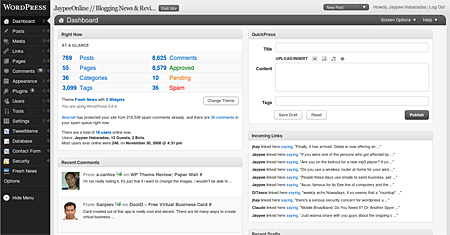
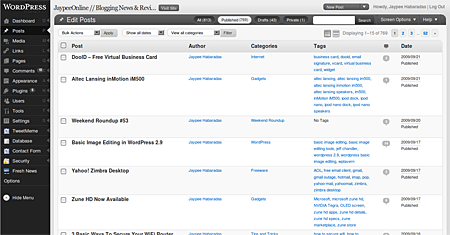
Minimized Menu
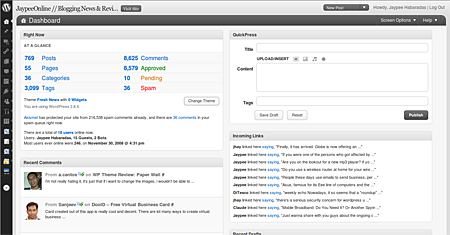
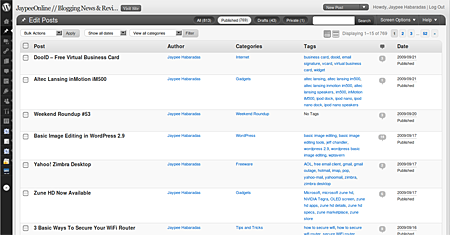
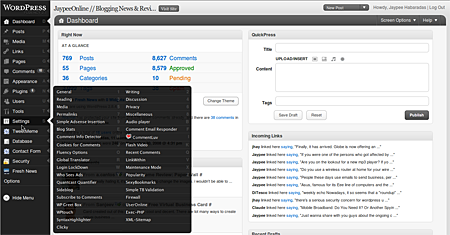
New Hover Menu (items are now split into 2 columns)
New Classic/Blue color scheme
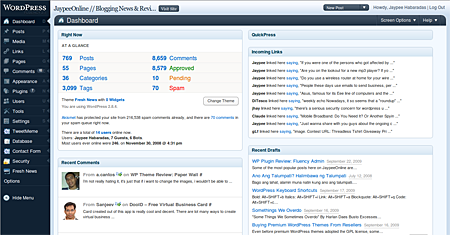
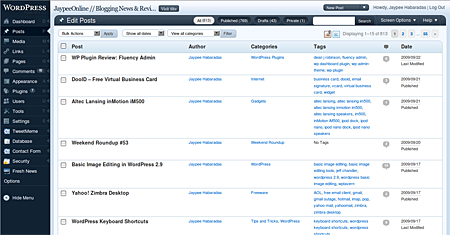
IMPORTANT NOTES:
- All menus have to be expanded before activating the Fluency Admin theme.
- Does not support Internet Explorer 6
- Color scheme depends on the scheme selected on your user profile
*To change between the grey or blue color scheme, go to Users > Authors & Users. Click Edit on your profile and look for it under Admin Color Scheme options.
The Fluency Admin theme is a neat plugin. It is not something that you really need to have or install on your WordPress blog, but if you like a better looking dashboard and want to have easier and quicker access to sub-menus, then you should give it a try. Fluency Admin is now hosted in the WordPress plugins directory which means that you can use WordPress’ built-in plugin installer and auto-update feature whenever a new version is released.
I’ve been using the grey-based theme for a long time so for a change, I’ve switched to the Classic/Blue scheme. I really like how the new hover menu splits multiple items into 2 columns, which solves the issue when you have lots of items in the Settings page. I had that problem with the previous version where I couldn’t access some items because they were way up too high or too low and become hidden. I also like that Dean included support for minimizing the menu. I’m glad that Dean is continuing support for this plugin and I hope he doesn’t get tired of it. As far as I know, Fluency Admin is the only admin theme that’s compatible to the latest versions of WordPress.
If you want to switch from the standard menu to the minimized menu or vice versa, just click on the “Hide Menu” icon found at the left side, below the other icons. Btw, the Fluency Admin Options page lets you configure whether you want to enable or disable the Fluency style on the login page and whether you want to use a custom logo on the login page.
Check out or Download the latest version of Fluency Admin theme for WordPress.
Anyone currently using or have tried the Fluency Admin theme? What other admin themes have you tried before? Do you know of any admin themes that work with newer versions of WordPress?



Fluency plugin is a nice plugin to give a new look to your dashboard
@aldrin – If you ask me, the Fluency Admin and Tiger Admin are the best WP admin themes.
Tiger Admin because it was one of the pioneers in WP admin themes and because its design and layout were revolutionary and way too cool for its time. I think it was the one who influenced the current WP dashboard design and layout.
Fluency Admin not only because its the only working WP admin theme right now but also because of its design, usability and functionality.
looks cool. compare to previous admin styles, i think this one’s the best.
that guy on the sample screenshot looks exactly like me.
@Michael – Yup, its totally, 100% FREE! Try it out and let us know what you think of it. :)
wahahahaha I like this one, is this for free?! im actually ging to try this now!
@a_usman – You’re welcome! I’m glad that I was able to share with you something new and useful with this post. Thanks for stopping by! :D
Thanks a lot for sharing this plugin, I never knew that such type of plugin exists. I will try it soon. :)
@Sanjeev – Actually, these color schemes are based on WordPress’ profile color schemes and at the start, Fluency Admin only supported the grey-based scheme and version 2.1 included the classic/blue scheme. Let me know how you like the Fluency Admin on your WP Dashboard. :)
This theme color combinations are looking great, will definitely try out on my blog admin.
@Jhay – Yes, I hope that the WordPress dev team would incorporate the functionalities of the Fluency Admin into the WordPress core. I’m using the Fluency Admin because I don’t like how the default menu works, how you need to expand the main menu to see/access the submenus. Fluency Admin uses less space and saves you time.
A nice and refreshing take on the WP Dashboard. Though I’ve never fancied the idea of using them since the WP dashboard is fine by me just the way it is.
@jr – Pretty cool huh? You can install it on your WordPress blog and try it yourself. :)
niiiiiice! i want it!