
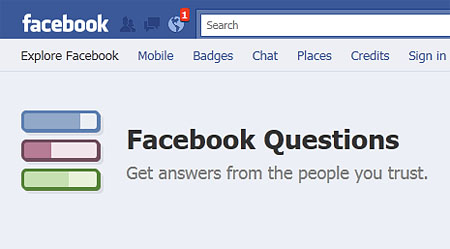
Facebook rolled out a new feature called Questions earlier today. First made available to a limited number of testers last summer, Facebook Questions allows Facebook users to post questions and ask their friends to answer and share their opinions on the topic. This new feature was designed to make the process of posting questions and get responses quickly and conveniently.
From Facebook Questions Product Manager Adrian Graham’s blog post:










Like many of our products, Questions originated as people began using Facebook in a new and unexpected way. People would update their status with a question, and their friends would answer in the comments. We saw this and began thinking about how we could make this interaction more useful. Over the summer, we began testing Questions with a small group of people, and today we are beginning to roll it out to everyone.
We noticed that people were frequently asking for opinions (“what are your favorite restaurants in New York?”) or hoping to learn about their friends (“what was your favorite movie as a kid, something you watched over and over?”). For most of these questions, experts weren’t going to be the best source for advice. The answers to these questions are meaningful or interesting because you know your friends and your friends know you.
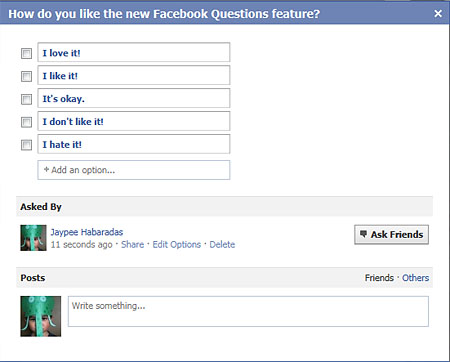
Facebook Questions works like a poll. The user who posts the question provides several answers and friends who answer the question can either click on an existing answer or add an answer of their own.
Here’s a question I posted on Facebook a few minutes ago:
Facebook Questions is a fun and cool way to get advice from your friends or simply find out the popular response on certain topics like favorite movies, favorite restaurants, favorite food, best place to visit when in a certain country, best hotel, how to cook a certain dish, how to fix a broken computer, etc. I’m pretty sure Facebook Questions will be a very popular feature soon. Although I’m also sure that some users would somehow use this new feature to ask stupid or inappropriate questions. Facebook should allow users to mark questions as spam like in status updates and other stuff that’s posted.
To activate Facebook Questions on your account, just head on over to this link and click on “Get Questions Now“. Once you activate it, you’ll be brought to the Questions page. Facebook Questions can be accessed from the left side part of your Facebook page or profile – Apps section on your wall/News Feed and below your profile picture on your Profile.
Anyone tried Facebook Questions? How do you like this new Facebook Feature? Please share your thoughts.




I just tried it out. Seems fun. Looks like a lot of my friends are doing it too. LOL
@Michelle – Some people like, some people don’t. Well, you can’t please everyone. Hehe
It sure does seem fun and I’m sure it can be very useful for some users. Thanks for sharing!