
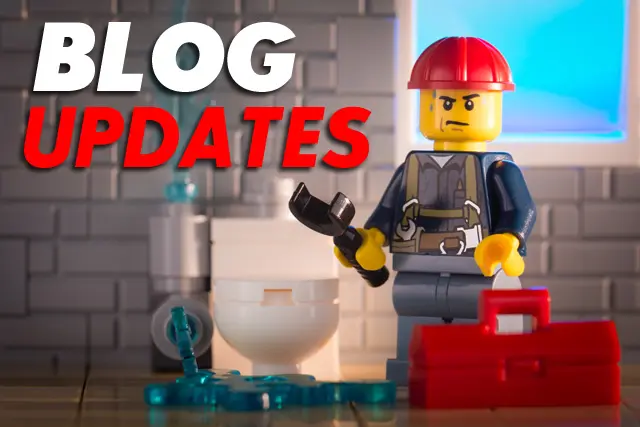
It’s been almost a month now since I posted about recent changes and updates here on JaypeeOnline. Well, here’s a list of the plugins that I’ve newly installed or upgraded since the last update.
Newly installed plugins:








-
Comment Relish – Increases your readership and RSS subscription rate by simply sending a short ‘thank you’ relishing type message to users when they first comment on your weblog.
Actually, I’ve had this plugin installed before but I forgot the exact reason why I uninstalled it. Anyways, I’m using it again and I hope that it works. Don’t forget to subscribe to my RSS feed if you aren’t subscribed yet.
-
Landing Sites – When visitors is referred to your site from a search engine, they are definitely looking for something specific – often they just roughly check the page they land on and then closes the window if what they are looking for isn’t there. Why not help them by showing them related posts to their search on your blog? This plugin/guide lets you do that, works with a long list of search engines!
-
WP Social Bookmarks – Adds links to social bookmark sites to your blog.
Previously, I was using the Share This plugin by Alex King. The reason why I ditched it was because I saw that more blogs use the Social Bookmarks plugin and that it’s more effective as the reader can see the options right away, compared to Share This which needs to be clicked before you can see the available options.
-
Do Follow Trackbacks – Dofollow Trackbacks plugin removes the rel=”nofollow” attribute in Approved trackback links to share some link love!
This plugin works exactly like the Do Follow plugin by Kimmo Suominen but instead of comments, this plugin removes the rel=”nofollow” attribute from trackbacks that you’ve approved. It’s a good way of sharing link love and a good incentive for your readers and other bloggers to link back to your posts.
I luckily came across this plugin a couple weeks ago. I installed this plugin because I get a lot of hits for certain keywords from search engines and this plugin helps the visitor find what he’s looking for or provide alternative posts that he/she might be interested in. This plugin helps your site/blog become more “sticky”.
Updated plugins:
-
WP DB Manager – Manages your WordPress database. Allows you to optimize database, repair database, backup database, restore database, delete backup database , drop/empty tables and run selected queries. Supports automatic scheduling of backing up and optimizing of database.
Changes:
» Sort Database Backup Files By Date In Descending Order
» Added Repair Database Feature
» Automatic Scheduling Of Backing Up And Optimizing Of Database -
WP Post Ratings – Adds an AJAX rating system for your WordPress blog’s post/page.
Changes:
» Ratings Custom Fields Will Automatically Be Created With The Creation Of Each New Post/Page
» Added AJAX Style Option: “Show Loading Image With Text”
» Added AJAX Style Option: “Show Fading In And Fading Out Of Ratings”
» Removed Ratings From Feed If Ratings Is Embedded Into The Post Using [ ratings ]
» Wrong URL For Page Under Top Rated/Highest Posts Listing
» Next/Previous Paging Bug In WP-Admin -> Manage Ratings
» Sort Most Rated Posts By Number Of Voters Followed By Post Average Ratings -
WP Useronline – Enable you to display how many users are online on your WordPress blog with detailed statistics of where they are and who there are(Members/Guests/Search Bots).
If you’ve noticed, all of the plugins I’ve updated/upgraded come from one source. That’s because the author, Lester Chan recently updated most of the plugins he’s created. I just thought that it would be better if my plugins were up-to-date.
Btw, here’s a friendly reminder. Whenever you install or upgrade a plugin, make sure that you read the changelog or read me file to prevent any unnecessary errors or problems. Better safe than sorry!
The most obvious change that I made is the new theme. What I’m using is the 3 columned version of the Silhouhette theme from Brian Gardner.
I’ve been wanting to change my blog theme for quite a long time but I’ve never found something that I like. When I found this theme I immediately knew that it was the one. It’s neat and simple but doesn’t fall short on usability and functionality. I wasn’t able to use this theme right away because it took me quite a while to customize some parts of the layout like the Top Commentators section. I’m not CSS ninja, so I had to rely on trial and error methods. Hehe :D
That’s all the updates that I have for now.
[image source: https://www.flickr.com/photos/clement127/]


@bluepanjeet – Hehe..not really, I just started using this new theme some time last week. Thanks! Just doing my best to customize it. Try out the plugins and see if you like ’em. :D
whoa. ganun na pala katagal since I hopped here? LOL new look.
nice changes bro. everything is clean and fresh. I like it!!!
plus the fact that you included the links to plugins that I haven’t used.
two thumbs up!!!