
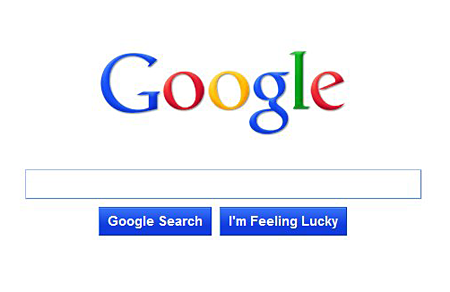
Have you seen, heard or tried out Google’s minimalist homepage? Word about Google’s minimalist homepage prototype first came out around October last year. Screenshots were posted and shared across the Internet, including the line of code that was used to activate the homepage prototype. By copy and pasting that particular line of code, regular users were able to access this prototype homepage that featured only the Google logo, the search box and two buttons – Google Search and I’m Feeling Lucky. When I first found out about it, I followed the instructions, then copied and pasted the code but it didn’t work. Tried it several times without any success so I finally gave up on it.
If you haven’t seen how the Google minimalist homepage prototype looks like, here’s how it looks like:
Yesterday, I came across an article on Mashable that showed users how to create a minimalist Google homepage on their own webserver. Its very simple and easy to do. It only took me a few seconds to download, unzip and upload the files and get it working. All you need is a domain, a webhost and an FTP account. Download the source code created by Infinise.com and upload it to a directory on your webserver. Here’s how it looks like:










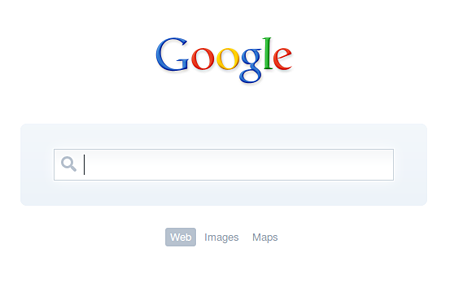
If you don’t have your own webserver or if want to try it out before setting it up on your own webserver, you can check it out on https://jaypeeonline.net/start/. Btw, if you click on the logo, it will let you choose which website to search from – Google, Wikipedia, YouTube and Twitter.
I really like the ultra-minimalist design of this Google homepage created by Infinise.com. I’ve set it up as my browser’s homepage/startup page so this is what I see/have now when I use Google Search. So what do you think of this ultra-minimalist Google homepage? Which one do you prefer, the minimalist homepage or the regular Google homepage?
via Mashable




Turning off the home page or setting it to blank is far better, saving precious seconds (wait to load the page, type, load again) :P
you can just type search from within the address bar, as long as it has no .com etc ending it will be parsed by google as a search query. (works on msie, firefox, chrome, assuming google as the preferred search engine)
I use Chrome’s default thumbnail view as I don’t use any homepage whatsoever because checking my email is the first thing I do and I search via from Chrome’s address bar.
But I agree, Google’s ulta-minimalist start page is just awesome.