
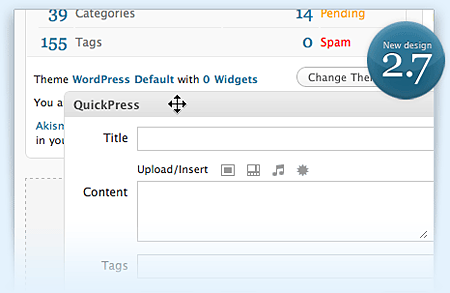
A week after releasing it in WordPress.com and a day after releasing Release Candidate 2, the dev team finally released WordPress 2.7 “Coltrane” to the general public. This version of WordPress is named after American jazz saxophonist and composer, John Coltrane.
I know this is a little bit late and I know that some of you aren’t that excited about WordPress 2.7 because you’ve already tried and used the beta and release candidate versions. However, there are still some who haven’t tried it yet or haven’t even seen what it looks like. For those who are new to WordPress 2.7, here’s a special video created by the dev team as a visual introduction to the latest version of WordPress.







Personally, I think this is the best WordPress release to date. Why? Because it covers almost all the features and options that I’ve been looking for in WordPress in a long time. From the main dashboard which you can customize and rearrange drag-and-drop style, the ability to reply to comments right from the dashboard, installing plugins directly from WordPress.org’s Plugin Repository, creating sticky posts, the comment moderation keyboard shortcuts and last but not least, the built-in upgrade feature. Not only does this new version of WordPress look and feel better than previous versions, some of the features I mentioned saves time and make regular tasks more convenient for users.
Unfortunately, with almost every new version of WordPress (especially ones with a lot of changes) comes issues with themes and plugins and WordPress 2.7 is not an exception. Before you upgrade your WordPress installation, you have to check that your themes, plugins and hosting provider work or don’t have any conflicts/issues with WordPress 2.7. One of the reasons why I wasn’t able to do the upgrade right away was because I wanted to be sure that everything would be okay after I do the upgrade. First thing I did was to back up my WordPress database, then check my theme files, check the plugins for conflicts/issues, deactivated all plugins and when I was confident that everything was ready, I proceeded with the upgrade. The upgrade process was fast and smooth. Thankfully, there were no hiccups or problems whatsoever.
So far I haven’t heard or read of anyone complaining or reporting problems after upgrading to WordPress 2.7, except for my blogger friend ia who noticed that after doing the upgrade, the WordPress version displayed on her blog’s meta tag was “abc” while on her dashboard it shows “WordPress 2.7”. Weird! She also pointed out a support topic on WordPress.org’s forum where someone posted a fix but for an earlier version, not 2.7. I’m not sure if it works or not because when I checked her blog it still shows “abc”, but in case you encounter this problem you can try it out. If you do know how to fix it or figure out a solution, kindly share it with us.
Btw, it’s only been a day since WordPress 2.7 was released but the dev team are already busy fixing bugs for 2.7.1 and thinking of features for 2.8.
Any of you guys who haven’t upgraded to WordPress 2.7 yet? What’s keeping you from upgrading? For those of you who have, what are your first impressions of Coltrane? Do you like the new user interface and the new features? Why or why not? Please share your thoughts.
Download WordPress 2.7 “Coltrane”




@loy – What version of WordPress were you using during the upgrade? Have you checked your installed plugins if they’re compatible to WP 2.7?
I know what you mean, been there done that. I still feel a bit nervous everytime I upgrade WordPress. I’m worried that something might go wrong and mess up my blog. Anyways, just make sure you backup everything before you upgrade.
I haven’t tried upgrading via Fantastico. Who’s your current hosting provider?
@bariles – It’s good that you were able to find the culprit and to know your blog is up and running again. Thanks for sharing it with us!
Merry Christmas to you too and God bless! :)
I tried to upgrade to 2.7 using the Automatic Upgrade plugin but there’s a plethora of errors so I abandoned it. I’m still studying how to upgrade manually. I’m quite nervous about this upgrading thing. :-)
Is it okay to upgrade using Fantastico? Not sure if WP 2.7 is already available on my web host.
@jay, I found the culprit! It’s the All in One SEO plugin which is not compatible yet with WP 2.7.
Now my blog is working fine and delighting the generals again!
Thanks and merry christmas! :)
@loy – Haha it’s all good man! You need to expect that with WordPress, its not really a bad thing coz if you think about it, its even better because you know that they’re always updating it, fixing bugs and plugging security holes, right? Besides with this new version of WordPress, you don’t have to worry about future upgrades because you can do it within the dashboard and with a single click of a mouse.
If you haven’t upgraded yet, I strongly advice you to do. If you’re worried about the compatilibity of your plugins, make sure you check out the Plugin Compatibility page at WordPress Codex. Also, don’t forget to create backups before you do the upgrade. All the best! :)
Damn, I just upgraded last week and now I have to upgrade once again..hehe…
I’m afraid my plugins will go bonkers if I upgrade. Is it a possibility?
@K – Glad to hear that your recent upgrade went smoothly. Most likely, your future upgrades would also be the same since there aren’t much changes plus the auto-upgrade feature will take care of it for you. All you need to do is click and wait. :)
Btw, the bug you’re talking about is that for the threaded comments or the paginated option?
This time my upgrade was smooth and luvin it specially the comment’s thread and paginated option.
However, a bug was found for this version, it was minor so might as well upgrade to 2.7.1v.
@Ambo – Aren’t you glad you did? Hehe yeah, it does require some familiarization especially with the settings and placement of the menus and stuff but once you’re over that, everything else is a piece of cake.
Btw, which is your most favorite feature in WordPress 2.7? :D
I did Bro. I love the new look and new features, but it took me sometime to familiarize some changes. Overall it’s really cool!
@Leon – I’ve seen your post about WordPress 2.7 but haven’t finished reading the whole article to be able to leave a comment. You’re right, blogging with WordPress hasn’t been this much fun and convenient, right?
Anyways, I agree with you and I believe that this is the best WordPress version to date. :D
@bariles – Have you solved this issue already? Do you upload photos via the Add Media option on the Write Post page? Do you use a certain plugin to view your photos like Lightbox or Thickbox? Or a maybe a plugin for TinyMCE? If you do, you might wanna check if its compatible with WP 2.7 if not then the problem might be with your default TinyMCE files. Let me know if your’re still experiencing this issue.
I posted on WordPress 2.7 myself. It’s such an excellent upgrade that I just had to dedicate a post to it. It has made my blogging so much easier and fun.
Jay, I don’t know why but the newer photos I uploaded to my latest posts? I couldn’t click on them for larger views after upgrading to 2.7.
Does anyone have this same problem?
@Ade – Yes it does! :D
2.7 totally rocks!
@jhay – That’s good! Me too, I didn’t encounter any problems or issues with the themes or plugins.
Btw, how many blogs are you running/maintaining? Having to maintain several blogs can a headache but I’m sure you’re loving the new auto-upgrade feature. :D
@trench – Hehe that’s normal for most users. Is this your first time to try WP 2.7? I’ve tried the beta and RC versions before so I was already accustomed to the new user interface and the settings. And even before that, the dashboard theme I’m using has the same layout so I was already used to that kind of orientation. :)
Just did the upgrade to all my blogs yesterday. It went with out any problems and now, I’m enjoying WP 2.7 goodness!
I really like the way it looks however it did take some time to adjust to the changes. Everything is moved around so much!! haha