
Haven’t done a WordPress theme review in a while and I know many of the regulars here on JaypeeOnline look forward to these posts so I decided to do one this week. The theme I’m sharing with you today is called the Dictum WordPress theme, designed by Jai Nischal Verma of Blog Oh Blog.
From the theme author:
This is a WordPress 3.0 + compatible theme with a professional slideshow that you can use to display or highlight any of your categories’ posts. This theme also comes with a social sharing bar in the single post view that will help your users easily bookmark the useful articles from your blog. The widgetized sidebar comes with ready to configure feedburner, twitter and facebook icons that can be setup in the theme’s admin options. The thumbnails are auto-generated and use the default thumbnail size that wordpress generates when you upload an image with a post.




Features:
- 2-column
- Widget-ready
- Gravatar-ready
- Threaded comments support
- Built-in social sharing bar
- Auto-generated thumbnails
- Compatible with Firefox, Internet Explorer, Safari and Chrome
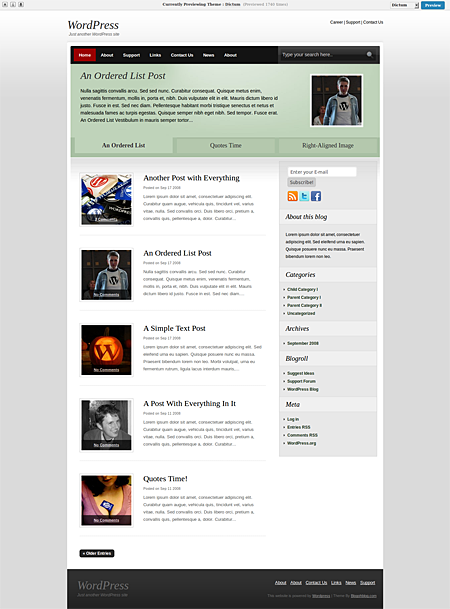
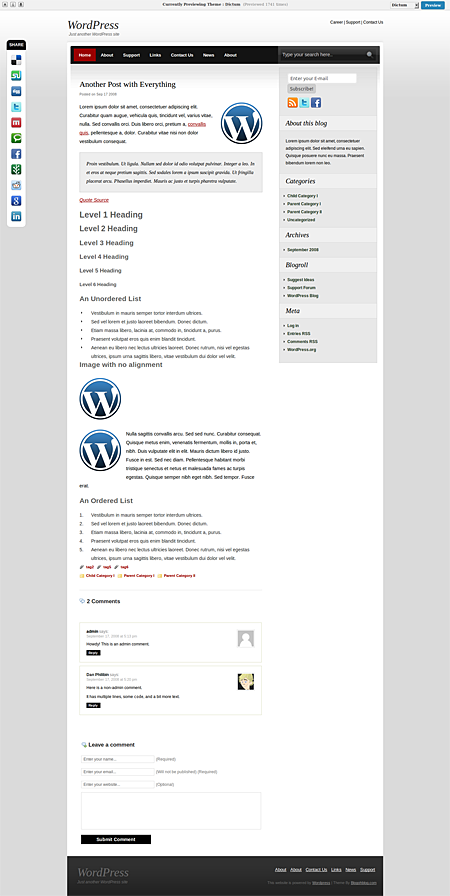
Screenshots:
SLIDESHOW USAGE/INSTALLATION
1. Activate Dictum theme
2. Go to Appearance > Dictum Options
3. Configure slideshow category
4. Set custom field for each post.
5. Set custom field to “label” (without the quotation marks)
My Take:
The Dictum theme is a simple, clean and professional looking WordPress theme. It has the basic functions/features that most users will need in a theme – widget-ready, gravatar-ready and threaded comments support. Then aside from those basic functions, it also has some extra features like the professional slideshow with auto-generated thumbnails so users won’t have to manually resize photos and the social sharing bar which enables blog readers to easily and quickly bookmark or share content. It also has a very easy to use and configure built-in buttons for RSS feeds, Twitter and Facebook.
With it’s simple design and layout, the Dictum theme can be used for different types of blogs – personal blogs, sports blogs, non-profit organization blogs, company blog, small business blog and other special niche blogs.
Dictum is 100% FREE and can be used any way the user pleases as long as the footer credits are kept intact.
Preview or Download the Dictum WordPress theme.
NOTE: This theme was scanned using the Theme Authenticity Checker and doesn’t contain any hidden or encrypted code.

Nice theme.
@Jhay – Yup, I agree. Unfortunately, the only WordPress themes that are mostly getting these type of features are the premium ones. :(
Nice sleek and feature-packed. Wish more themes would be like this. :D