
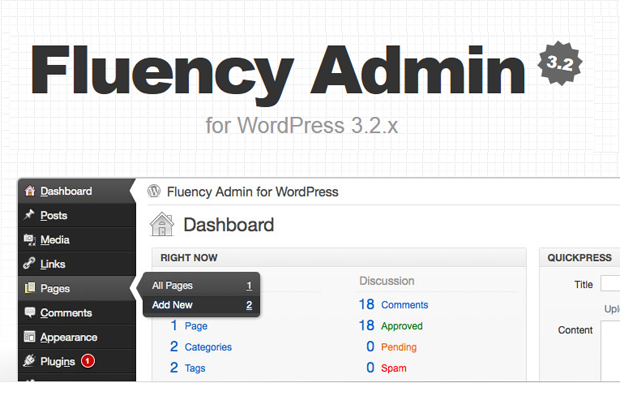
After several weeks of waiting, I finally upgraded this blog to WordPress 3.2.1 yesterday. The upgrade process went smooth and I didn’t encounter any issues or problems with the core software or with any of the third-party plugins. So far I’m loving WordPress 3.2+ and I can see and feel that it is lighter and loads much faster than the previous version.
All the plugins I use were up-to-date and compatible with WordPress 3.2+ so I didn’t have much of a problem with the upgrade. I just made sure that I deactivated all of them before starting the upgrade process. The only incompatible plugin was Fluency Admin and the reason for it was because I was using an older version created for earlier versions of WordPress. I had to update it to the latest one – Fluency Admin 3.2 which is specifically designed for WordPress 3.2+.








For those who aren’t familiar with Fluency Admin, it is a technically a plugin but in terms of use, it is a WordPress admin or dashboard theme. In the past, there were lots of admin themes* available but with the development and release of newer version of WordPress, most of the admin theme authors didn’t update their products, rendering them incompatible with newer versions of WordPress. The only admin theme that’s left is Fluency Admin, which is constantly updated by its author – Dean Robinson.
Features:
- Stylish dark-on-light colours
- Hover activated sub-menus
- Custom colour-schemes
- Custom login screen
- Customise WordPress with your logo
- Access menus using ‘hot keys’
Screenshots:
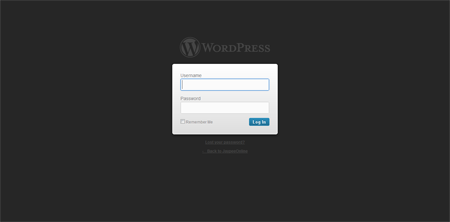
Regular WordPress 3.2+ Login Screen
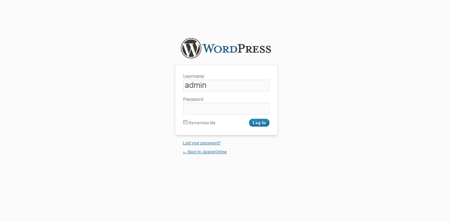
WordPress 3.2+ Login Screen w/ Fluency Admin (Extended Menu)
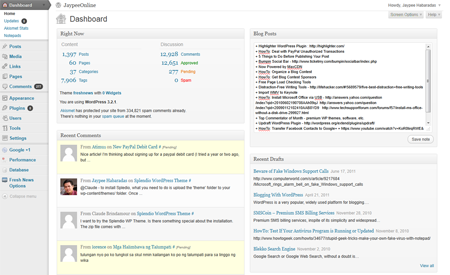
Regular WordPress 3.2+ Admin User Interface
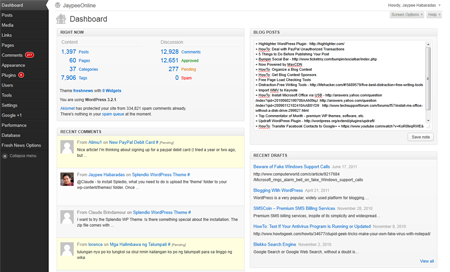
WordPress 3.2+ Admin User Interface w/ Fluency Admin (Extended Menu)
WordPress 3.2+ Admin User Interface w/ Fluency Admin (Collapsed Menu)
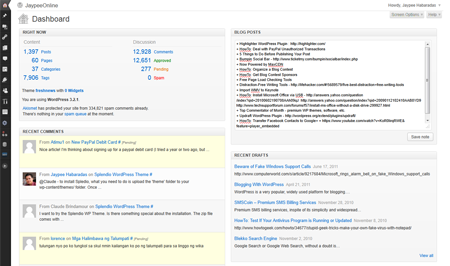
I’ve been enjoying/using this type of user interface thanks to Fluency Admin since WordPress 2.5, which is about two years ago. Although the default WordPress Admin user interface is much much better than it was a couple of years back, I still prefer to use the Fluency Admin theme because it uses less space (especially with the collapsed menu) and it doesn’t require me to expand the main menus to access the submenus – thanks to the hover menu and hotkey options.
In previous versions, Fluency Admin only had two color options/schemes available, same as the default WordPress color schemes – blue and grey. Now, you can customize and choose any color you want. Just go to Settings > Fluency Admin and specify the hex color code and click on Save Changes. If you want, you could also customize your WordPress login screen and use the Fluency Admin color scheme and also replace the WordPress logo with your own customized logo. To use a customized logo, just follow the instructions and the dimensions specified in the Fluency Admin settings page.
How do you like the new default WordPress Admin/Dashboard user interface in WordPress 3.2+? Anybody else using Fluency Admin? Which one do you prefer – default user interface or Fluency Admin?
*If you’d like to see the other admin themes which worked for older versions of WordPress, check out my Pimp My WordPress Dashboard series of posts – Pimp My WP Dashboard Part I, Pimp My WP Dashboard Part II and Pimp My WP Dashboard Part III.


the 3.2 version changes the whole interface and not all wp users will like it that way ..
@Sourish – I agree. However, this is not the first time that the WP admin/dashboard layout and UI has changed so eventually, users will have to get used to it. In my case, I’ve already been using this type of layout for several years now. :D
Ohhhh… totally installing this! Thanks for sharing! The new WP rocks. =)
@Ana – You’re welcome! How do you like it so far? :D