
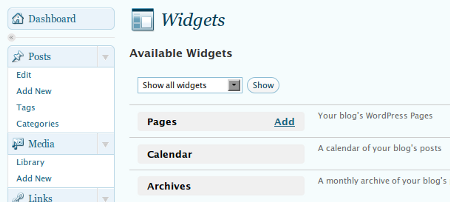
From my experience reviewing different WordPress themes, I noticed that one of the main features that a lot of users look for in a theme is being “widget-ready“. This is due to the fact that widgets have become a very popular tool for bloggers especially for WordPress users. Also, a lot of WordPress plugins these days include a widget version of the plugin. Unfortunately, not all theme designers realize the importance and popularity of widgets and create themes that are not widget-ready.
For those of you who use or rely heavily on widgets, finding a beautiful and well designed WordPress theme that’s not widget-ready can be very disappointing, right? You end up looking for another theme thats widget-ready. Wouldn’t it be nice if you can widgetize or make any WordPress theme widget-ready? This short tutorial will show you how to widgetize WordPress themes.







Before you start, make sure you backup your theme files so that if something goes wrong, you can always revert to the original files.
Now to start. First thing you’ll need is a functions.php file within your theme folder. Most WordPress themes already have it but in case you don’t, all you need to do is create a blank text document using Notepad or any other text editor, save it as functions.php and copy/paste the following code into that blank file.
<?php

if ( function_exists('register_sidebar') )

register_sidebars(3,array(

'before_widget' => '',

'after_widget' => '',

'before_title' => '',

'after_title' => '',

));

?>
In the code above, you can edit the following lines: ’before_widget’, ‘after_widget’, ‘before_title’ and ‘after_title’ to fit your preference or theme’s design.
Example, if I want to make the widget to behave like a list, I would edit it like this:
'before_widget' => '<li>',

'after_widget' => '</li>',
Then if I want the widget title to use a specific heading parameter like say <h3>, I do this:
'before_title' => '<h3>',

'after_title' => '</h3>',
If I want to make it italic, I replace <h3></h3> tags with <i></i> tags or if I want it to be bold, I replace it with <strong></strong> tags.
When you’re done with it, save and upload the functions.php file via FTP into your theme’s folder. (e.g. http://domain.com/wp-content/themes/wptheme/)
Now that you’ve created the functions.php file, what you need now is the code that calls or displays the widget. Most users prefer to use widgets on the sidebar but this code can be placed in the bottom bar or footer or anywhere you want to have widgets (depending on the design of the WordPress theme).
Open the sidebar.php file (or any file that holds the area where you want to have widgets) and copy/paste the following code where you want the widget to be displayed.
Widget code
<?php

if (function_exists(’dynamic_sidebar’) && dynamic_sidebar(1) ) : else : ?>
< ?php endif; ?>
What this code basically does is that it checks if your theme supports widgets and looks for the dynamic sidebar function to see if it exists (code that we placed in the functions.php file earlier). When it finds the dynamic sidebar function, it executes everything between the if statement and the <?php endif; ?> statement. It means you can add anything or other stuff that aren’t widgets like an ad banner or script before or after the widget code. You can also add stuff in between the widget code if you want it to display something else in case the function doesn’t exist.
Btw, if you want multiple sections to be widgetized, just copy/paste the widget code and replace (1) with the corresponding number, (2) if its the second or (3) if its the third one.
That’s it. Wasn’t that easy to widgetize WordPress themes? Now you don’t have to worry about finding a theme that doesn’t have widget support because you can do it yourself and make any WordPress theme widgetized or widget-ready.
Hope you found this simple tutorial helpful and useful. If you liked this post, please don’t forget to subscribe to my RSS feed or share this post with others using the social bookmarking buttons below. Thanks!




Please give me example to create widget above header, below header, above post, below post, footer.
I am seeking the way to widgetize theme that similar to tempate of studycycle.net
Okay now that I’m on WP, I’d have to agree with Jhay. A screencast would be a nice touch for a tutorial like this. That’s a lot of work for a simple how-to. But then again, you’d have lots of grateful readers for making it more simple. I’m on that long line of readers that would be interested to read it. Immediately behind me is Elmot, I think. Ahahaha.
I’m glad I’m on WP now, Jaypee. All your posts on howto’s and plug ins and WP themes? They acquire now a special meaning for me. Means more time burrowing in your archives, I’m sure.
Yipee. :)
@gamzter – You’re welcome! ;)
thanks for the info!
@K – Really? That’s quite opposite to what the others have experienced. They started hard coding stuff into their sidebars and now depend on widgets. But that’s cool. At least you now know how to hard code stuff on your WP theme. Hope you find this tutorial useful in the near future. :)
Before, I used to love widget-ready themes. After I switched to Derek’s, I’ve become obsessed with the use of php code (nah’ just the simple cut and paste) – so now I’m stucked with simple minimalist themes without a widget-ready feature.
But this tutorial is so right off the bat.
@Networks – Thanks for the compliments and for stopping by! Hope to see you more often and join the discussion here on JaypeeOnline
I recently came across your blog and have been reading along. Thank you for writing this article that I have enjoyed reading.
Nice blog. I will keep visiting this blog very often.
Regard
@jan – You can use this post as future reference after you switch to WordPress. Btw, thanks for adding this on your del.icio.us bookmarks! You know what, I have lots of other posts that would be a good addition to your del.icio.us bookmarks. Hehe ;)
You were saying? hahaha. I must have nodded off to dreamland there. But not your fault. I am just not wired for this kind of language. LOL. So as not to be totally useless, I'd just post this to Delicious. Will that do? :)
@joie – Thanks man! Glad I could help and that you found this tutorial useful. :)
great tutorial.. did that copy and paste thanks Jayp for the tutorial
@Raju – Haha..you’re one of those spoiled brats? Just kidding. Thanks for the compliments! :D
I am so damn used to spoon-fed readymade stuff that these things look so tough. but your tutorial makes it look so easy. Great stuff!
@jong – Thanks! Glad you like it and find it useful. You can bookmark it so you won’t forget the link. You can also save it on your social bookmark accounts like del.icio.us so you can share it with others. ;)
Me, I still hard code stuff into my sidebar. :D
wow jaypee, this is really helpful… Now I don’t need to google it, ill just have to go to your site when I want to widgetize my theme :d
Jhay is right, i so miss the times when we actually have to hard code every plugin in our sidebar.
@Bedava – You’re welcome!
@jhay – Thanks dude! A screencast? Good suggestion but thats too much work for me already. Hehe maybe next time.
So you use sidebar widgets now? Me, I’m still using the old fashioned way of hard coding stuff into the sidebar. You know me, I like full control over stuff I have on my blog. Hehe ;)
thanks for sharing.
Nice tutorial, a screencast would be a nice icing on this cake, so to speak.
Though I’ve become accustomed to using sidebar widgets, I somehow miss the days when we still have to hard-code everything into a blog’s sidebar.php file in the customization period of a theme change.
The hit-and-miss nature of it is more appealing to configuring widgets.
The best thing of all, one has full control over the styling of sidebar customization as compared to doing it with widgets because everything is hard-coded. Ah those were the days…:D