As the in-house desktop support among my family and friends, I get a lot of questions regarding computer and technical stuff. Most of these questions fall under basic computer configuration, setup and/or tweaks. One of the questions I often get is “how to disable or turn off the startup sound on Windows XP”. I’m sure [...]
Continue reading...Friday, May 30, 2008
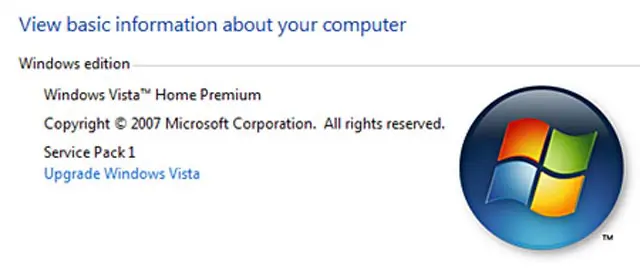
Even though Windows Vista Service Pack 1 was finally released and made available for download 2 months ago, I didn't immediately update my Windows Vista installation. Why? Because I wasn't excited and neither was I looking forward to it. Windows Vista came pre-installed on my machine but if I had the choice, I would've opted to install Windows XP on it.Regarding the Vista SP 1 update, I said to myself that I would just wait for the auto-update rollout which was scheduled a month after the release. However, the month of April passed and there was no SP1 on Windows Update. Anyone else got the update last month? Anyways, I got mine just a couple days ago. When I saw the Windows Update icon, I clicked on it and found out the update was for Vista Service Pack 1, I decided to go ahead with the update instead of skipping it.Btw, if you haven't received a Windows Update for Service Pack 1 and you wanna check what version/edition of Windows Vista you have on your machine here's how you do it. Click on Start, then look for Computer, right click on it and click on Properties and you'll see something like this:
Continue reading...Tuesday, September 11, 2007
In my post entitled How Secure Is Your Password, I promised you guys that I would show you how to make use of the hidden password generator in Windows XP. This is a built-in feature of Windows XP that only a few people are aware of. With this tool, you won’t have to download a [...]
Continue reading...Monday, June 4, 2007
Windows Language Bar One of the most annoying features in Windows XP is the Language bar. You usually see it after you do a fresh install on a computer. It’s annoying because most users don’t use it or need it but it uses up space in the task bar. Also, it was easy to temporarily disable [...]
Continue reading...Thursday, May 24, 2007
Have you mistakenly deleted the Show Desktop icon from the Quick Launch bar? Or is it just simply missing and you don’t know how to restore or recreate it? I’ve been using Windows for a long time but I’ve never encountered or heard of this problem before until the other day when someone asked me [...]
Continue reading...Wednesday, April 18, 2007
Previously, I was running Windows XP Home Edition on my Compaq Presario notebook. I had to limit the number of applications running because if not, it would become annoyingly slow. You see, my laptop has only 256 MB of RAM and that is not quite enough to run those programs all at the same time. Just [...]
Continue reading...Monday, February 26, 2007
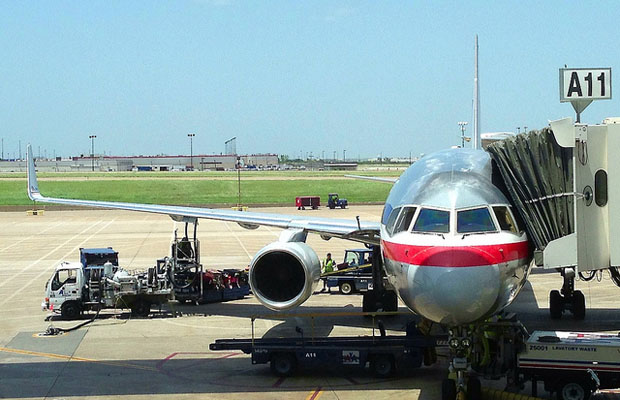
Found this funny article while surfing the web. It tells about what happens if the different commercial airlines were run by different operating systems. Some of you must have heard or read this before but I’ll just share it anyways for the sake of those who haven’t. UNIX Airways Everyone brings one piece of the plane along [...]
Continue reading...Monday, January 23, 2006
This tip is for people running Windows XP on their machines with multiple user accounts or for people just like me who have only one account but uses passwords to login into their machine. This Windows tweak will load your programs even before you login. You can turn on your pc and go away or do [...]
Continue reading...
Thursday, January 7, 2010
3 Comments