
With more than 900 million users, Facebook has a tough job keeping track of all the links, images, videos, etc. that are posted on the social network so they also rely on users to be vigilant in reporting anything that is offensive, spam, suspicious, crime-relate or other stuff that violates Facebook’s Community Standards and TOS.
A few days ago, Facebook published an article entitled “What Happens After You Click ‘Report’” which talks about a recently released guide in the form of an infographic that gives users a better understanding on how the reporting process works.










Facebook Reporting Guide
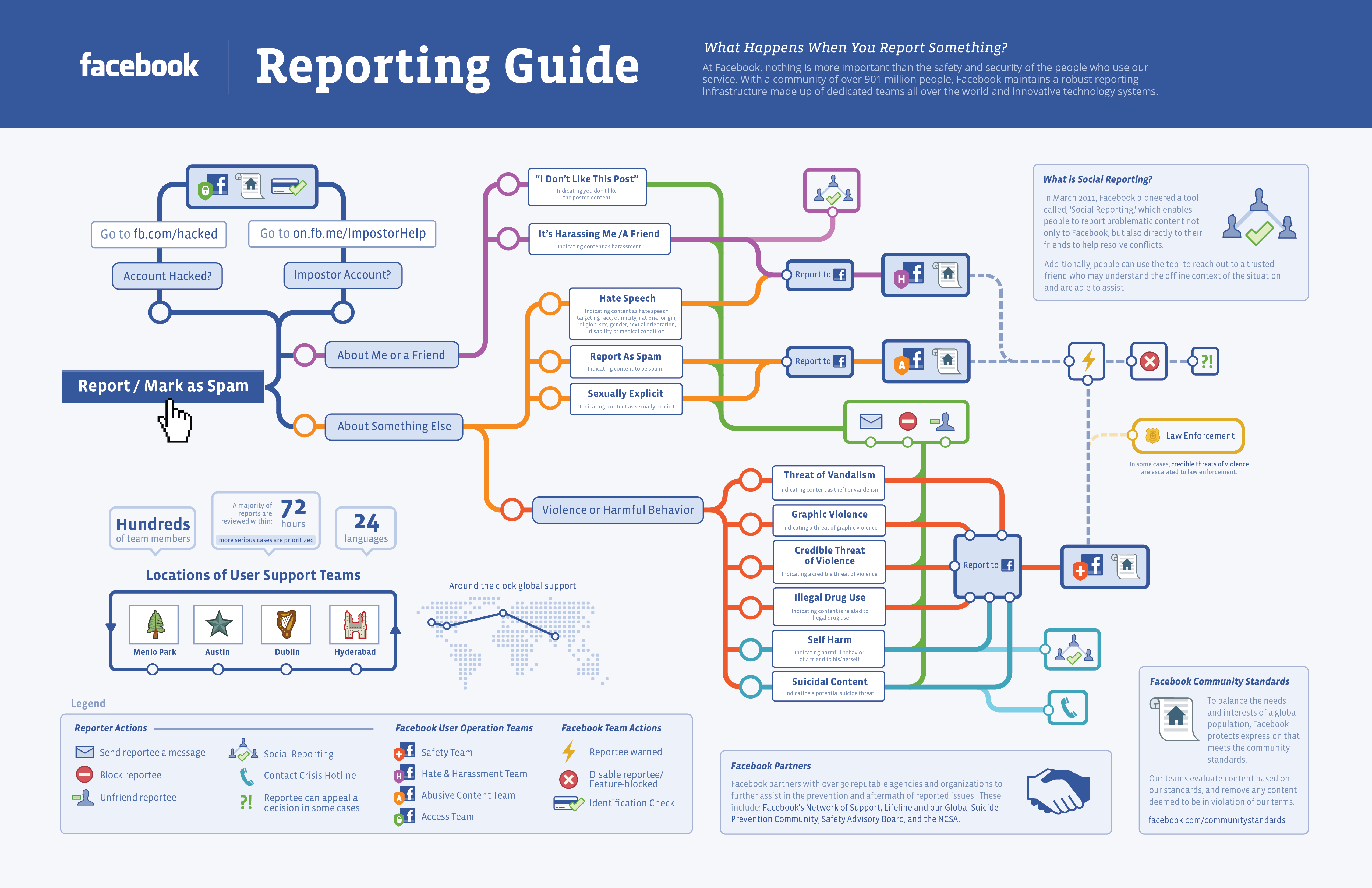
[click on the image to view the larger version]
The safety and security of the people who use our site are of paramount importance to everyone here at Facebook. We are all working tirelessly at iterating our reporting system to provide the best possible support for the people who use our site. While the complexity of our system may be bewildering we hope that this note and infographic have increased your understanding of our processes. And, even though we hope you don’t ever need to report content on Facebook, you will now know exactly what happened to that report and how it was routed.
It’s good to know that Facebook is serious about improving user safety and security as well as raising awareness about the importance of using the reporting system. Personally, I’ve clicked on the Report/Mark as Spam button several times to report stuff that was spammy and offensive.
Have you used Facebook’s reporting system? What do you think of the Facebook Reporting Guide infographic? Please share your thoughts by leaving a comment below.