
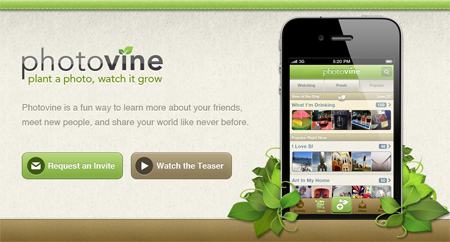
With all the buzz on Google+, most people haven’t heard about the release of Google’s latest product – a photo-sharing app called Photovine. Although the product name and website doesn’t mention anything Google, rumors started about this mysterious Google project a few weeks back when the company files a trademark application for “Photovine”. It may be surprising to see Google not mention anything about it or release an app like this right after the launch of Google+ but I guess the reason behind this is because Photovine is a creation of Slide (acquired by Google last year) and not Google itself.
Well now that it has gone live, we know that Photovine is an social photo sharing app for smartphones. The Photovine iOS app is already available in the App Store but the service is currently in beta and requires an invitation to use it.










Official Photovine Video
Screenshot:

I’ve already downloaded the Photovine app into my iPhone but the invite hasn’t arrived yet so I haven’t tried the service. However, the Photovine FAQ does provide a hint of what kind of service or social app it will be and what makes it different from other photo-sharing apps. “Vines” or tags that users add to images they post on Photovine will enable them to connect with users who share the same interest.
A vine is like a constantly growing family of photos connected through a common caption created by you, your friends, and people all over the world.
Some examples of vines could be: “What Weekends Are Made Of”, “Secret Stuffed Animal”, “Party People”, or, “Love of My Life”.
As people add photos to vines, they tell their own stories about the moments, images, and ideas that define our lives in a way that’s social, creative, and fun.
It will be interesting to see how Photovine will do in an already saturated market of photo sharing apps – Path, Instagram, etc.
If you want to try out this new photo-sharing app, head on over to the Photovine website and request for an invite.
Anyone else heard or tried the Photovine photo-sharing app? What social photo-sharing app do you currently use? Would you consider using Photovine? Please share your thoughts.




Hmm..I wonder if it will be able to match up with Instagram.
I wonder why it’s released first on the iPhones where it makes more sense on Android as it’s Google’s
Ah, maybe I’m saying this because I’m currently using an Android phone and not my old iPhone 4 :D
Interesting why they kept this on a low profile. Maybe it is to avoid disturbances with G+, and have those “critics” stay away :) Cool!