
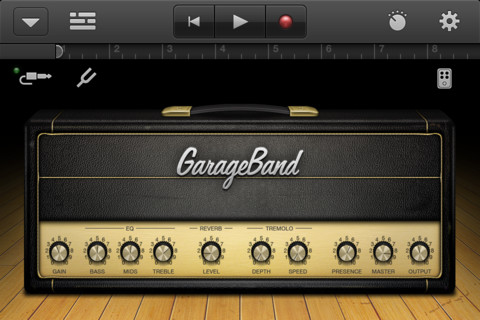
Whether you create music for a living or just simply do it as a hobby, I’m sure a lot of people will be happy to know that GarageBand, a popular music creation app which was previously only available on the iPad is now available for the iPhone and iPod Touch. I haven’t tried it myself but I’ve seen several videos of people using this app to create beautiful music.
For those who aren’t familiar with this app, it turns your device – iPhone, iPod Touch or iPad into a touch musical instrument and a full-featured recording studio. Play pianos, organs, guitars, drums and basses using multi-touch gestures and make use of 9 built-in amps and 10 stompbox effects. This app allows users to record/mix up to 8 tracks, save it as an audio file (AAC format) and/or sent to the desktop version of GarageBand. The app also comes with 250 professional samples to help users get started.






Screenshots:
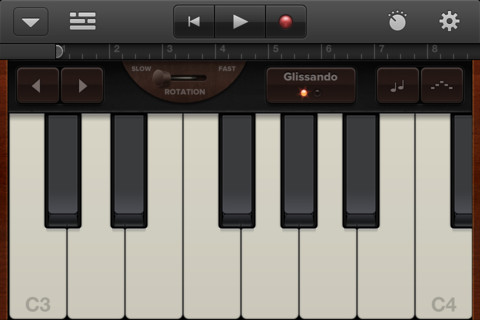
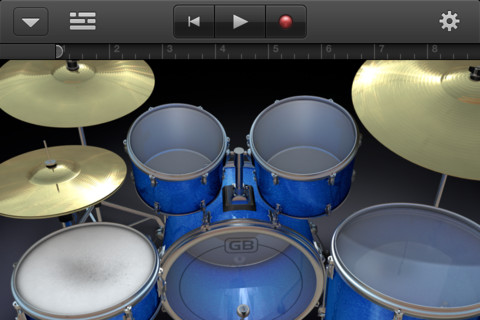
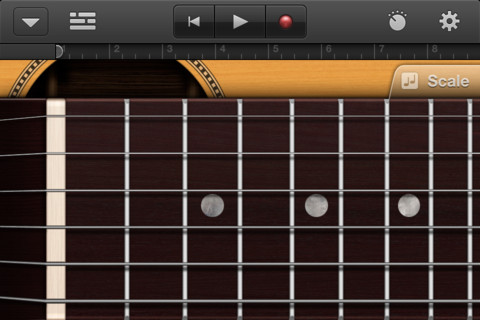
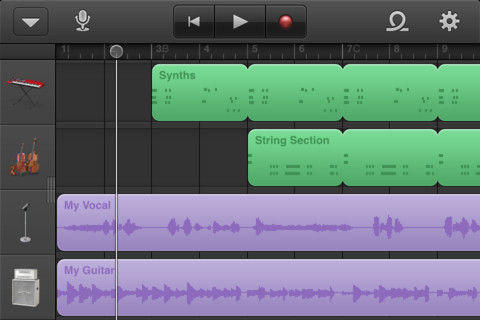
GarageBand version 1.1 Features:
- Universal app designed for iPad, iPhone, and iPod touch
- Create custom chords for Smart Instruments
- Support for 3/4 and 6/8 time signatures
- Reset song key without transposing original recordings
- Transpose songs in semitones or full octaves
- Additional quantization options for recordings including, straight, triplet and swing
- New audio export quality settings for AAC and AIFF (Uncompressed)
- Arpeggiator available in Smart Keyboard
- Adjustable velocity settings for Touch Instruments
- Numerous enhancements, including automatic fade out and improved audio import options
NOTE: GarageBand requires iOS 4.3 or later and is compatible with iPhone 3GS, iPhone 4, iPhone 4S, iPod touch (3rd gen), iPod touch (4th gen) and iPad. Users who already purchased GarageBand for the iPad can re-download and install the app on their iPhone or iPod Touch for FREE.
GarageBand is now available on iTunes for $4.99.
Anyone using GarageBand? Have you tried using GarageBand on the iPhone or iPod Touch?


PLEASE HELP: I already purchased the GarageBand application for my iPad. I want to download it onto my iPhone now but it’s asking me to purchase again. How do I do this without purchasing again?
Thanks!
How do you auo tune your voice on the iPhone via garage band?
I love garage band
downloaded garage band just today , and it sounds awesome. must have for musicians . all instruments in your finger tip … just tap and select
I think I am going to look for something like this for my Android. This is one cool app.
Got this on my ipod touch yesterday. Does anyone know if there is a limit to key option as there is on a mac? (This sounds like “autotune” but I think it’s called “limit to key” or something to that effect.)
Also, I can’t seem to successfully share a song with itunes on my PC…any help is appreciated.
Thanks,
Rick
I just figured out how to share with itunes…(i feel stupid) But I still would like to know about the autotuning of vocals.
Thanks
Thanks for the update buddy. Actually, I only saw those apple music apps in Youtube with Northpoint iBand concert.That was a stunning smartphone concert ever…..:)
You’re welcome! Yeah, I saw that popular video too when a friend posted it on Facebook. :)
its great to see your back to blogging . Can you check your blog on IE , it seems broken
@Sourish – Thanks for the heads up. I never use IE so I wasn’t aware that the site was broken when used on IE. Will look into. :)
Hey Jaypee, you’re back!
Anyway, great that Garageband is available for iPhone. Hope to get back my iPhone 4 soon from Globe.
Yep, good to be back. Trying to do it slowly. :)
Haven’t tried GarageBand yet but will definitely do it one of these days. What happened to your iPhone? Anyways, hope you get it back ASAP.