

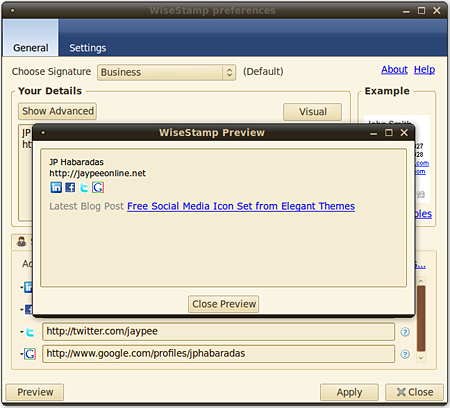
Recently, a blogger friend of mine asked me how I got the social media icons (with links) on my email signature. If you recently received an email from me, then you might’ve seen it too. My email signature contains my name, a link to my blog – JaypeeOnline, links to my LinkedIn profile, Facebook Fan Page, Twitter account and my Google profile and at the bottom is a link to my latest blog post.
My “cool” email signature is powered by a Firefox addon/extension called WiseStamp. This is not a new addon and some of you might have heard of it before or probably even using it already (version 1.0 was released back in July of 2008). Anyways, I wanted to share it because I know there are still many people who don’t know about WiseStamp.










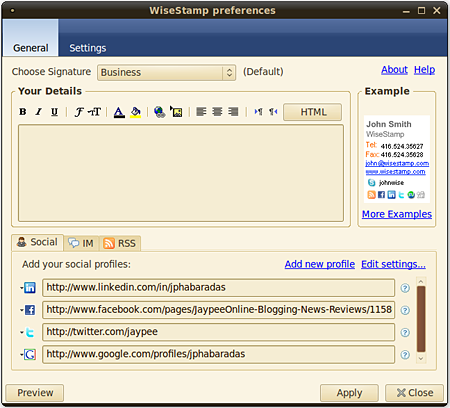
WiseStamp lets you customize your email signature – choose the font style, size & color, add images, lets you add RSS feeds – share blog posts, bookmarks, videos, quotes, etc., add links to social media and social networking profiles/accounts – Facebook, Twitter, LinkedIn, del.icio.us, StumbleUpon, Flickr, FriendFeed, Digg, Plurk, MySpace, Tumblr, IM services and many more. With WiseStamp, you can also create multiple email signatures that you can use for personal or business emails.
To know more about WiseStamp email signatures, here’s a quick video tour:
WiseStamp features:
- Personally designed signatures
- Easy setup and configuration interface
- Use multiple email signatures (Business and Personal)
- Rename signatures
- Signature Rich Text editor (WYSIWYG Editor-choose color and font)
- Add your personal feeds (rss)
- Add your logo or image to your signature
- Automatically insert your signature to your webmail services
- Supports to all webmail functions- Compose Mail, Reply, and Forward
- Easily Include all your IM (Instant messaging) ID’s + Icons
- Easily link to all of your Social profiles & Services + Icons
- Manually add your signature at mouse cursor location
- preview while editing Signature
- Simple control- switch signature on/off
- Support for special characters
- Works with Gmail, Google App’s, Yahoo! Mail, Hotmail, AOL and more…
Advanced features:
- Option to treat each signature as HTML
- Full Ltr & Rtl languages support
- Add your personal signature to any online Html supported page (Google Docs…etc)
- Supports Firefox 2 & Firefox 3
Screenshots:
General
Settings
Preview
Email Signature
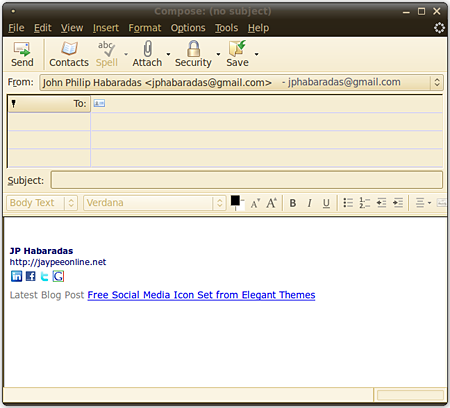
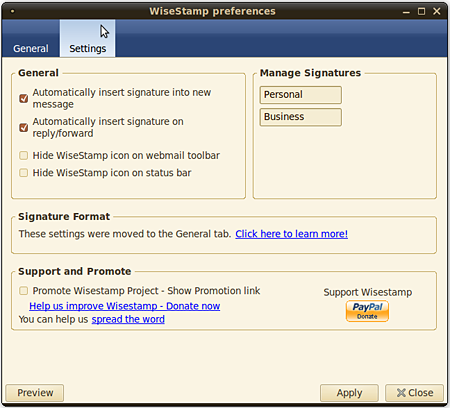
By default, WiseStamp will automatically insert an email signature when you compose an email. This feature can be turned on/off from the settings page. If you have multiple email signatures, it will select the default signature that you specified in the settings page. To access WiseStamp or edit your existing signatures, just click on the WiseStamp icon found on the bottom part of your browser or via Tools > WiseStamp.
Right now, WiseStamp is available as an extension for Mozilla Firefox, Flock, Google Chrome and Mozilla Thunderbird. It also works with most webmail providers – Gmail, Yahoo! Mail, Hotmail, AOL, etc.
The email signature I’m using is a pretty simple one. I’ve seen other email signatures that are more fancy and more creative. If you’re having a hard time designing or choosing a template for your email signature, you might want to check out the WiseStamp signature template gallery for some inspiration.
To download the WiseStamp extension or learn more about it, visit WiseStamp.com.
In case the download links won’t work for you, here are the direct links to the extensions:
Mozilla Firefox & Thunderbird, Flock
Google Chrome
What do you think of the WiseStamp Firefox extension? Anyone else using WiseStamp email signatures? What other features or options would you like to see added to WiseStamp? Please share your thoughts.



For signature i use Brandmymail ( http://www.brandmymail.com ), which has full control over email signature and overall template :)
@dess – You’re welcome and hope you enjoy using WiseStamp! :)
Hi Jaypee,
I’ll apply this on my email signature! Thanks a lot for sharing this Wise Stamp tool, so love it! :D
*Shine
@Josh – You’re welcome! Thank you for taking the time to drop by. I love WiseStamp and hope that you guys continue to work on it and add more features and options. :D
Hi Jaypee,
Thanks for your super cool review we love it!
Enjoy WiseStamp and stay tuned to our coming new features ;)
Josh @WiseStamp
@Dragonblogger – You’re welcome Justin! Really? I never had any problems/issues with WiseStamp on Thunderbird. Could be an issue with another plugin? Thanks for the link love! :)
Thank you for writing this article and sharing with me over email, I wrote my own post with my experiences on Thunderbird and ran into some gotchas that are known about the plug-in. My post will go live on Thursday 4/22 and will include props and links back to you my friend.
@lunaticg – You’re welcome! :)
Hi jaypee.
As the name suggested, this is totally a very wise signature. It will help people finding all your social profiles in one. Will try this out now. Thank you for sharing this great tools.
See you around.
@dimaks – Cool! Let us know how you like WiseStamp. You’re welcome!
@christian – Oh so you’re already using it. That’s cool! Yeah, that’s true. WiseStamp makes it very easy and convenient to insert your social network links and other stuff on your email signatures. A great way to promote them! Not to mention free. ;)
I started to use it when I started blogging so I can easily insert all my social network links on my signature. It’s really cool and very easy to use.
@Joie – You’re most welcome! It is a very useful thing especially if you want to promote your blog and social media/network profiles. What’s also nice is that you can set a different email signature for business or personal emails.
Yes, please share with us your experience using WiseStamp and let us know whether you like it or not. Maybe you can blog about it too. :D
Thanks Jaypee. This is very useful. I installed it and will start to use it and see if I will like it.
i think im gonna try this for the first time :) thanks for sharing.
@Jhay – You’re welcome! I think I started using WiseStamp early this year but I only use it on Thunderbird because it’s what I use to access my Gmail account. I don’t use the webmail version anymore. :P
Thanks for reminding me, I had this extension installed in Chrome a couple of weeks back, but completely forgot about it. :P