
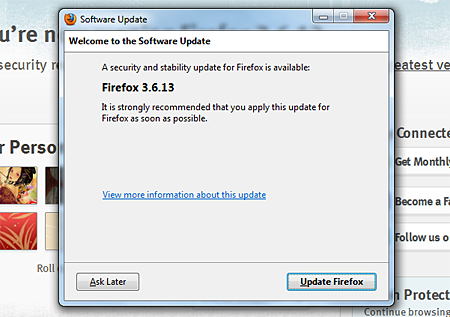
While using my Firefox web browser this morning, I was notified about a new available security and stability release – Firefox version 3.6.13. I immediately downloaded the latest version and updated Firefox. After that, I checked on the Mozilla website to find out more about the security issues that were addressed. I found out that this release contains patches for 11 vulnerabilities with 9 of those being deemed as critical.
Here’s the complete list of vulnerabilities that were patched in Firefox 3.6.13:










Moderate Impact
- XSS hazard in multiple character encodings
High Impact
- Location bar SSL spoofing using network error page
Critical Impact
- Incomplete fix for CVE-2010-0179
- Integer overflow vulnerability in NewIdArray
- Use-after-free error with nsDOMAttribute MutationObserver
- Java security bypass from LiveConnect loaded via data: URL meta refresh
- Add support for OTS font sanitizer
- Crash and remote code execution using HTML tags inside a XUL tree
- Chrome privilege escalation with window.open and <isindex> element
- Buffer overflow while line breaking after document.write with long string
- Miscellaneous memory safety hazards (rv:1.9.2.13/ 1.9.1.16)
Aside from the Firefox release, Mozilla has also released a security update for their email client – Thunderbird version 3.1.7. The Thunderbird release contains several bug fixes for performance and stability as well as enhancements for better handling of locally stored large folder files and improvements to reduce the risk of corruption of local IMAP mailbox copies.
If you are using Mozilla Firefox as your web browser and Thunderbird as your default email client, it is strongly recommended that you immediately update to the latest versions. In case you didn’t receive any notifications while using Firefox of Thunderbird, you can download and install the updates manually from their respective websites – Firefox website and Thunderbird website


@Sreejesh – You’re welcome!
ooh thanks for reporting this news
@pagbasa – You don’t need a built-in antivirus on Firefox. As long as your antivirus program is always updated, you’ll be fine.
I wish Firefox has a built in Anti Virus. Palagi nalang ako na virus sa pag rere-search ko nang kung anu anu lang!
@Sourish – You’re welcome! Same here, can’t live without Firefox and my favorite extensions/addons. :D
thanks , i just updated. i have disabled auto update feature on my browser . cant live without firefox a day